
Auto reframe any video to vertical, speaker in frame
Turn 16:9 recordings into 9:16 clips without cutting anyone out. Speaker tracking moves the crop to whoever is talking.
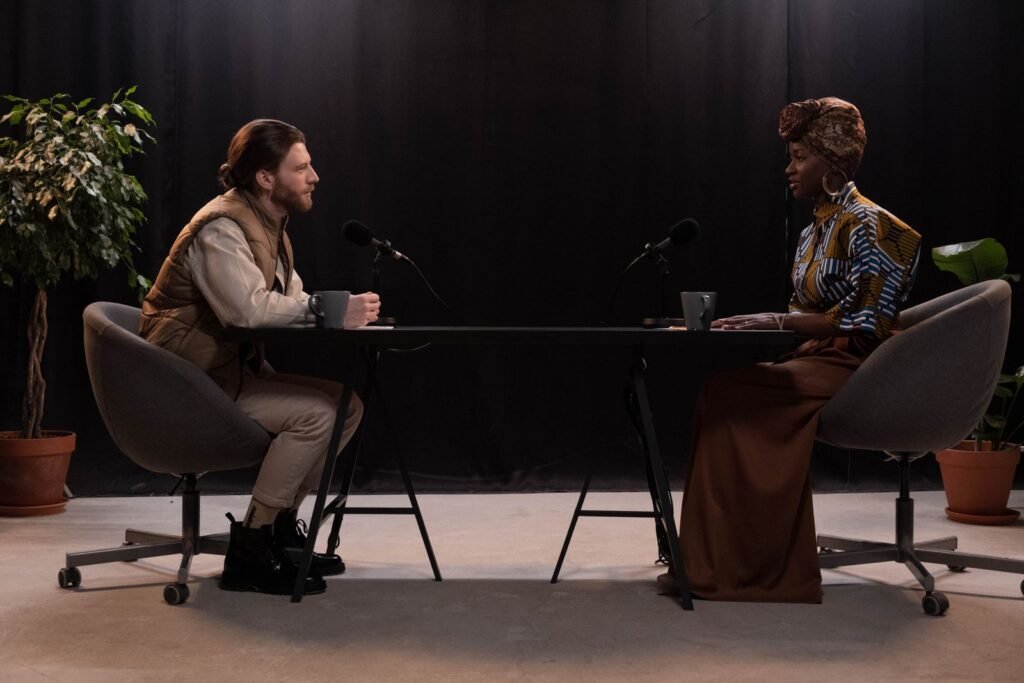
A center crop cuts out half your guests
Most podcasts and interviews are filmed wide, with two or three people in frame. A simple center crop to 9:16 leaves the person talking half off screen, and manual keyframing takes forever.
Auto Reframe does the camera work for you.
How speaker tracking works
Faces are detected
Every face in the frame is found and tracked from shot to shot.
The speaker is matched
Lip movement and audio are combined to decide who is talking at each moment.
The crop moves smoothly
The 9:16 frame glides to the speaker, with no jumpy cuts or motion sickness.
Vertical video without the editing
Multi-speaker aware
Handles two and three person conversations and switches as they talk.
Split-screen layout
Show both speakers stacked when a back-and-forth moment matters.
Every aspect ratio
Export 9:16, 1:1, 4:5 or keep 16:9, all from the same clip.
Manual override
Drag the frame yourself on any section where you want a different shot.
Built for wide, multi-camera footage
If you record horizontally, Auto Reframe makes it ready for vertical feeds.
- Works with single and multi-camera footage
- Keeps screen content readable on screen shares
- Handles videos up to 4K
Questions, answered
Something else? Write to us and we reply within a day.
Still have a question?
Write in Urdu or English. A real person replies, usually within a day.
Contact usHow do I convert 16:9 video to 9:16?
Upload your video, choose 9:16 and Auto Reframe tracks the speaker and crops it for you. No keyframes needed.
What if there are two speakers?
The crop follows whoever is talking, or you can switch to a split-screen layout that shows both.
Can I adjust the framing myself?
Yes. Drag the frame on any part of the clip and the rest stays automatic.
Does it work on screen recordings?
Yes. For screen shares it keeps the important area readable and can place your face cam on top.
Which aspect ratios are supported?
9:16, 1:1, 4:5 and 16:9.
Is Auto Reframe included in the Free plan?
Yes, on up to 60 minutes of video each month.